
Checking your account…

Claude CodeCodexAny MCP clientGitHubFigmaW3C DTCGTokens StudioStyle DictionaryCSS variablesREST APIrandr CLI

A brand is a release, not a folder.

Brands don’t break in the brand book. They drift in between: a hex value pasted by hand, a logo saved into the wrong repo, an agent that guesses. Randr replaces the copies with one release everyone reads.

brand.diff−3 +3
- logo_final_v3_NEW.svg- color: #2f6b54;  /* close enough */- "Use the brand green." (agent guesses)+ randr pull      ✓ sha256 verified+ var(--color-forest)   from release v15+ get_design_tokens → css   read-only
What you needBrand portalDesign libraryTokens in a repoRandr
Tokens, guidelines and assets togetherAssets and docsStyles and componentsTokens✓ All three
Immutable releases, compare and restore—Library versionsGit tags✓ Built in
Agent access with scoped credentials—VariesRepository access✓ MCP, REST and CLI
New releases arrive as pull requests——Manual✓ randr/sync-… branch

Draft. Review. Publish. Deliver.

A release moves through four steps. Everyone downstream reads only the last one.

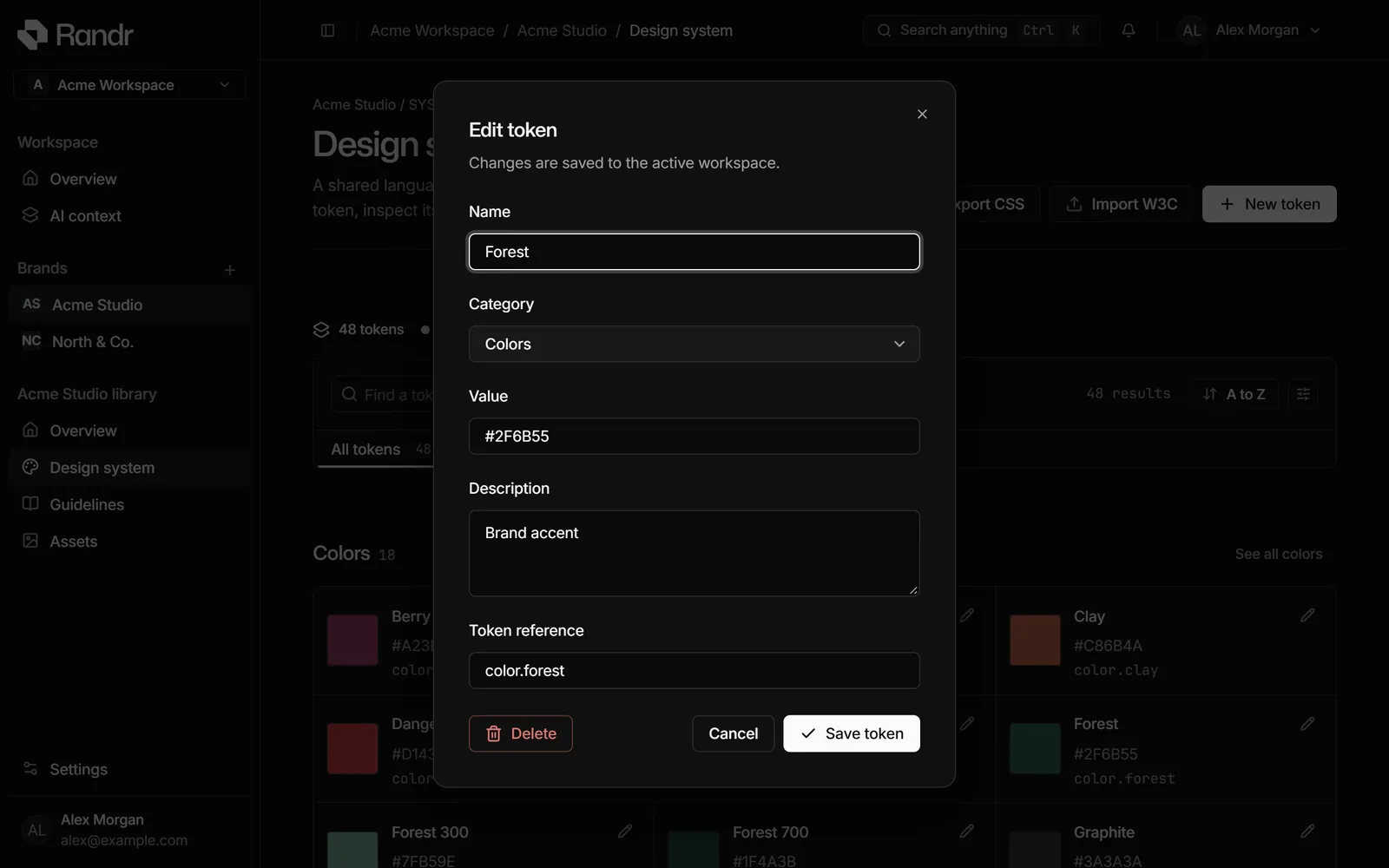
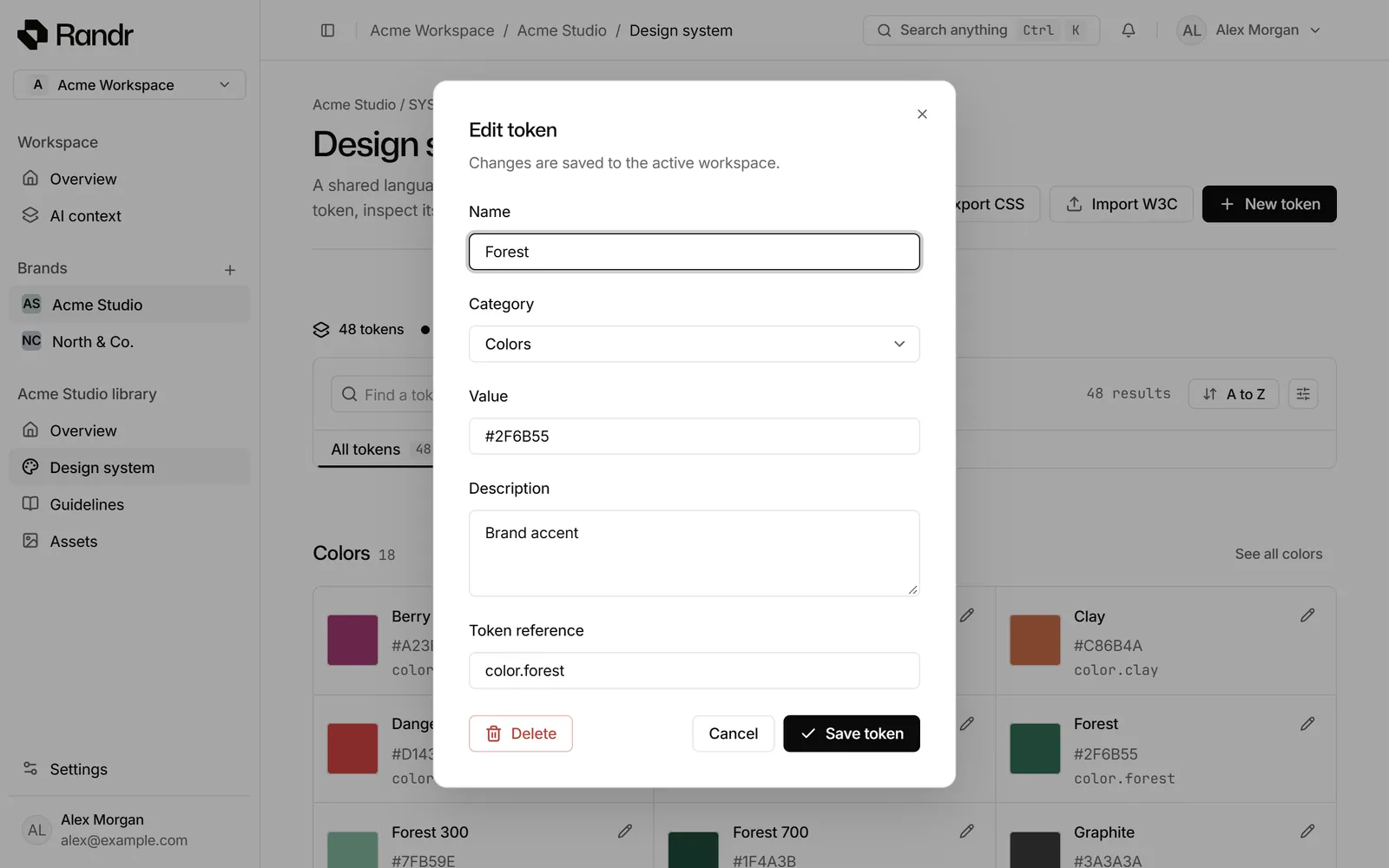
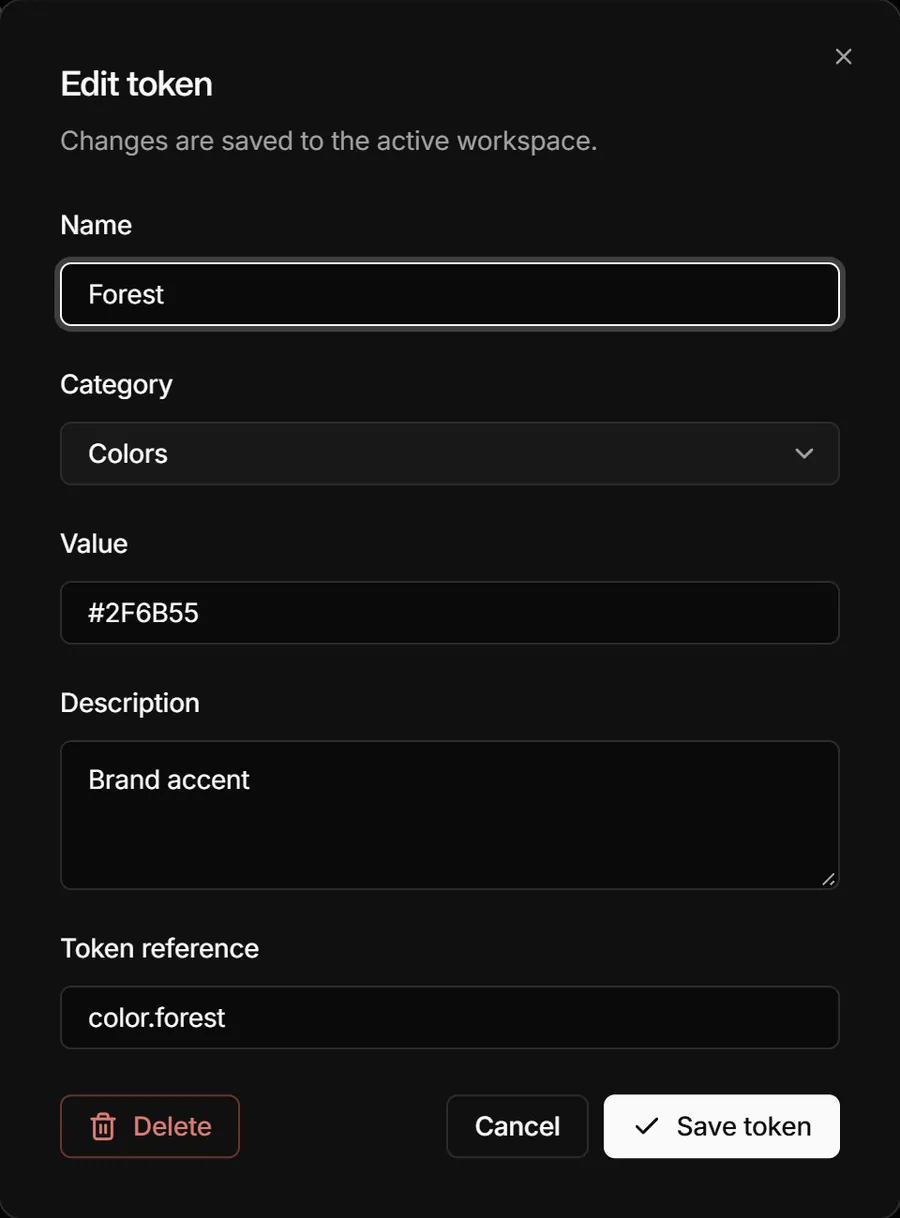
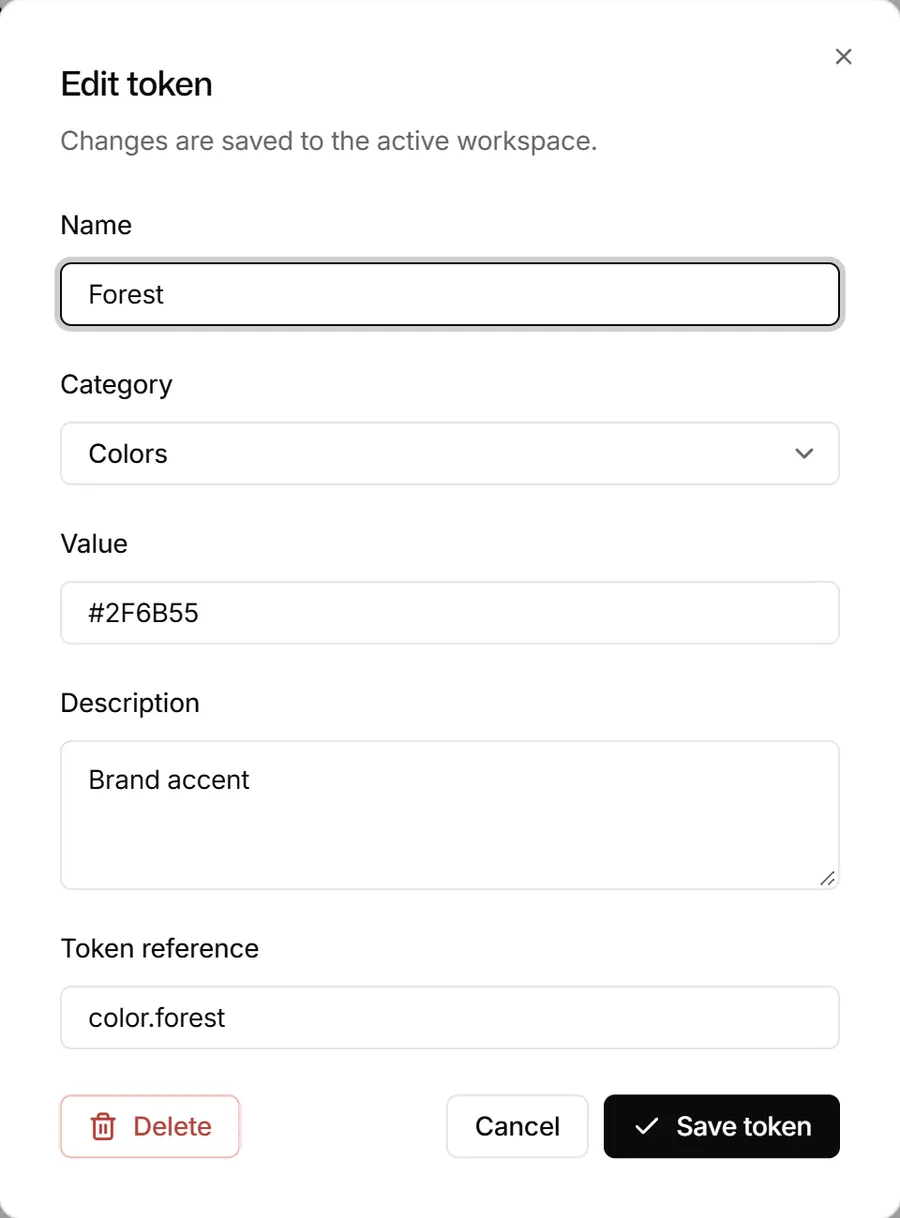
The Randr design system screen with the Forest token open in its edit dialog: name, category, value, description and token reference. Changes are saved to the workspace, not to a release.The Randr design system screen with the Forest token open in its edit dialog: name, category, value, description and token reference. Changes are saved to the workspace, not to a release.
  1. 01DraftEdit tokens, guidelines and assets together. Nobody overwrites anybody.
    The Randr design system screen with the Forest token open in its edit dialog: name, category, value, description and token reference. Changes are saved to the workspace, not to a release.The Randr design system screen with the Forest token open in its edit dialog: name, category, value, description and token reference. Changes are saved to the workspace, not to a release.
  2. 02ReviewRandr compares the draft with the last release and drafts the notes.
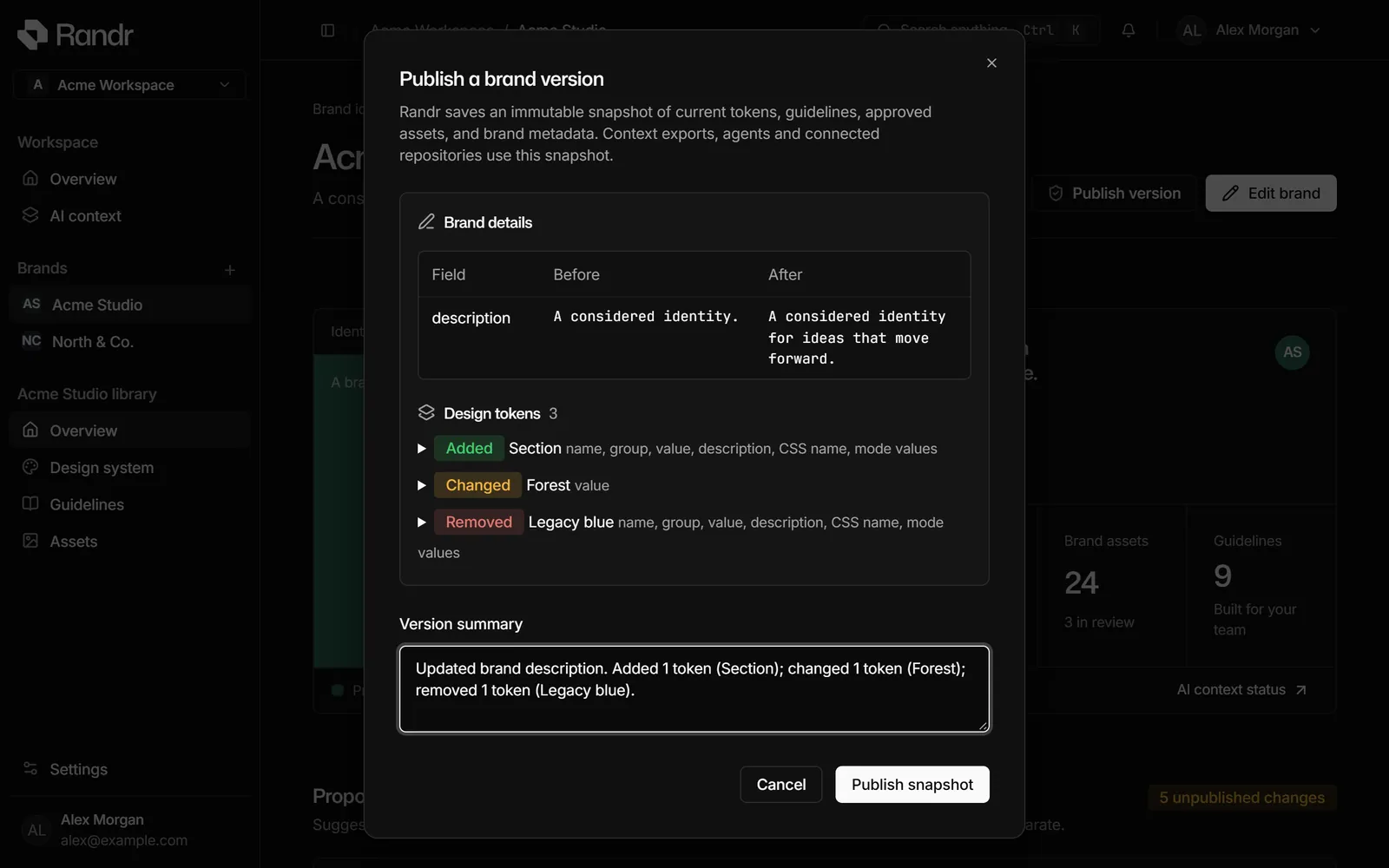
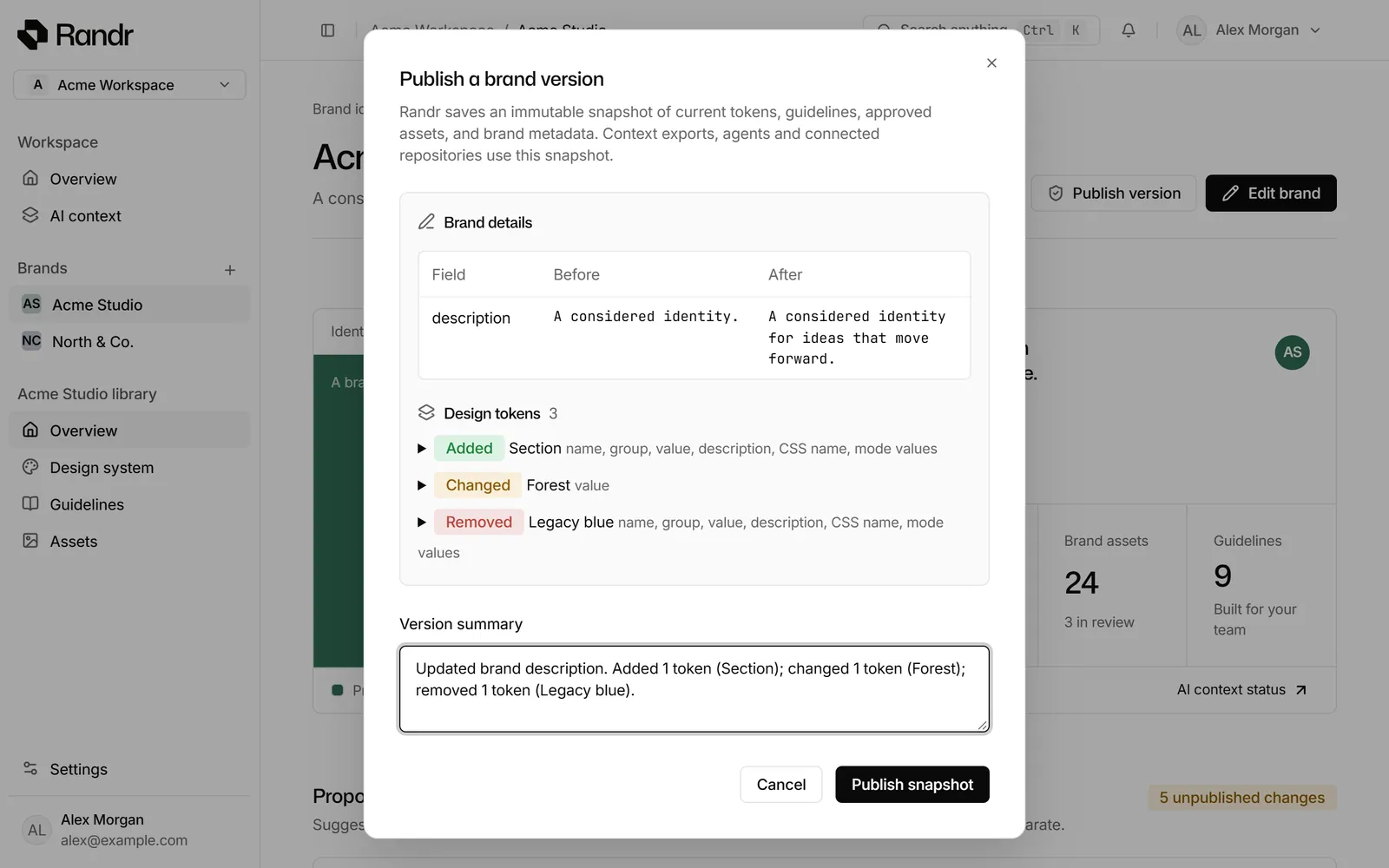
    The publish review in Randr: a changed brand description, three token changes (one added, one changed, one removed) and a version summary Randr wrote from them, above the Publish snapshot button.The publish review in Randr: a changed brand description, three token changes (one added, one changed, one removed) and a version summary Randr wrote from them, above the Publish snapshot button.
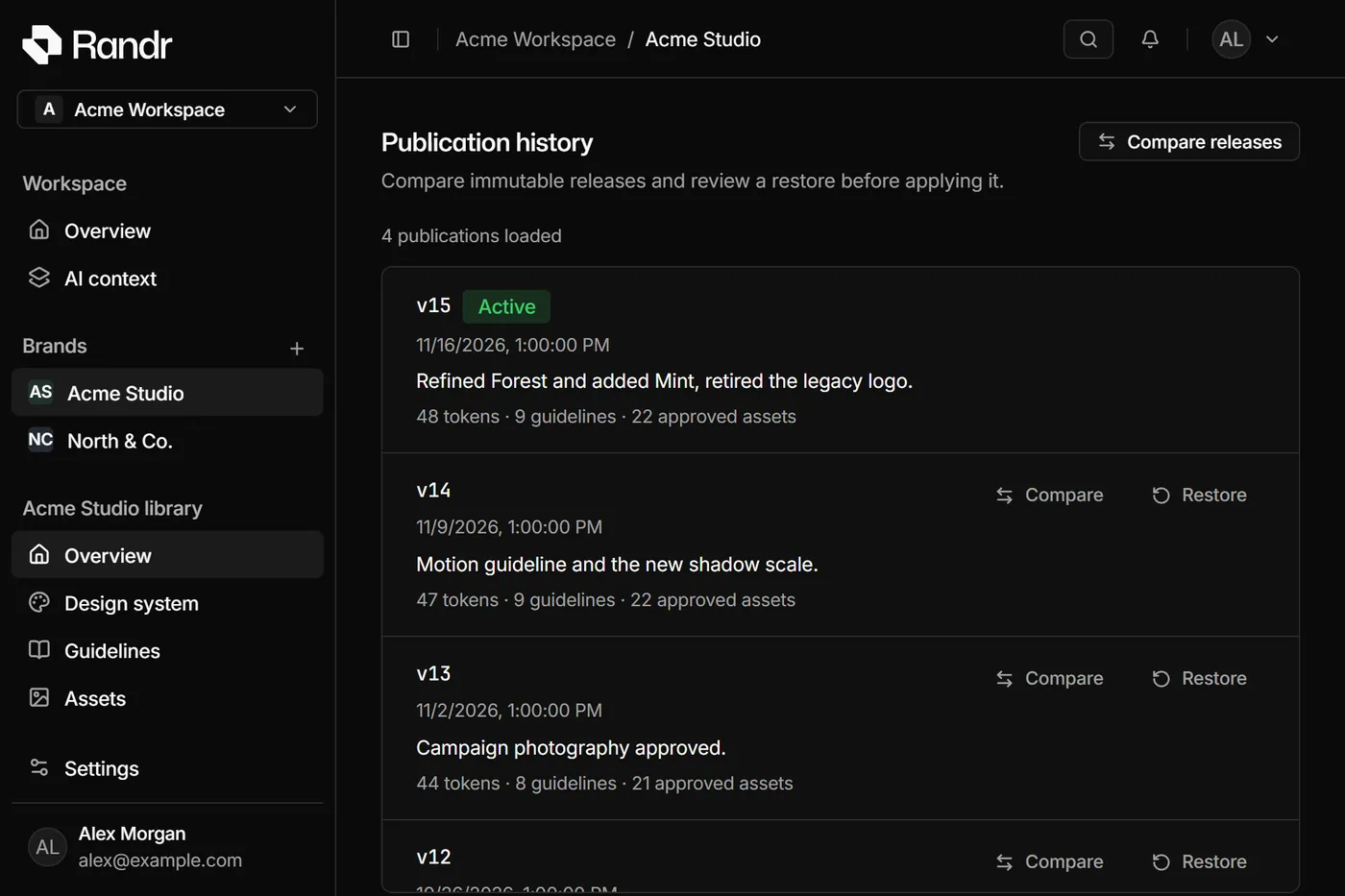
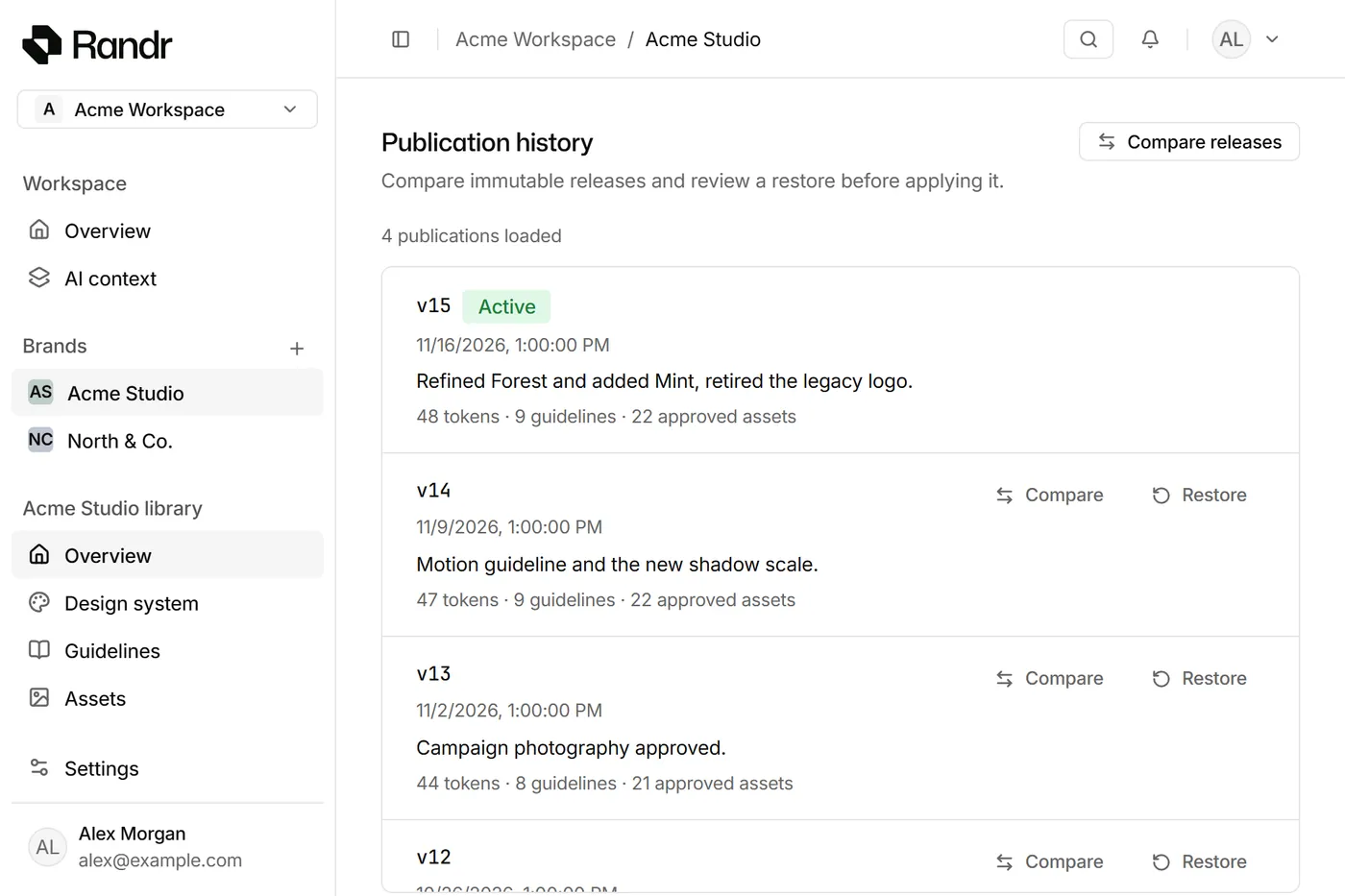
  3. 03PublishOne click freezes an immutable release. History never changes.
    Publication history of Acme Studio in Randr: v15 is active, v14, v13 and v12 are earlier releases that can be compared or restored.Publication history of Acme Studio in Randr: v15 is active, v14, v13 and v12 are earlier releases that can be compared or restored.
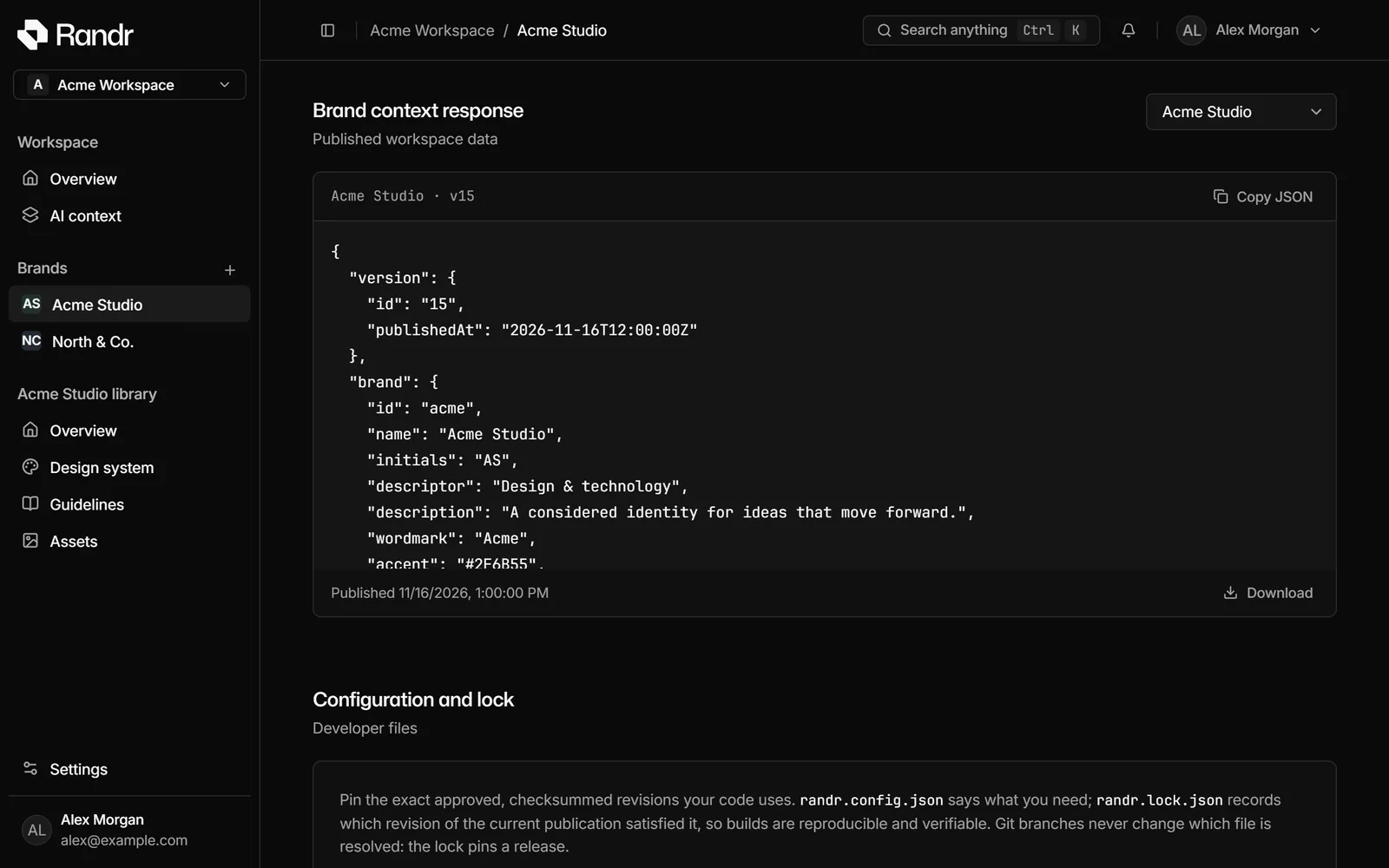
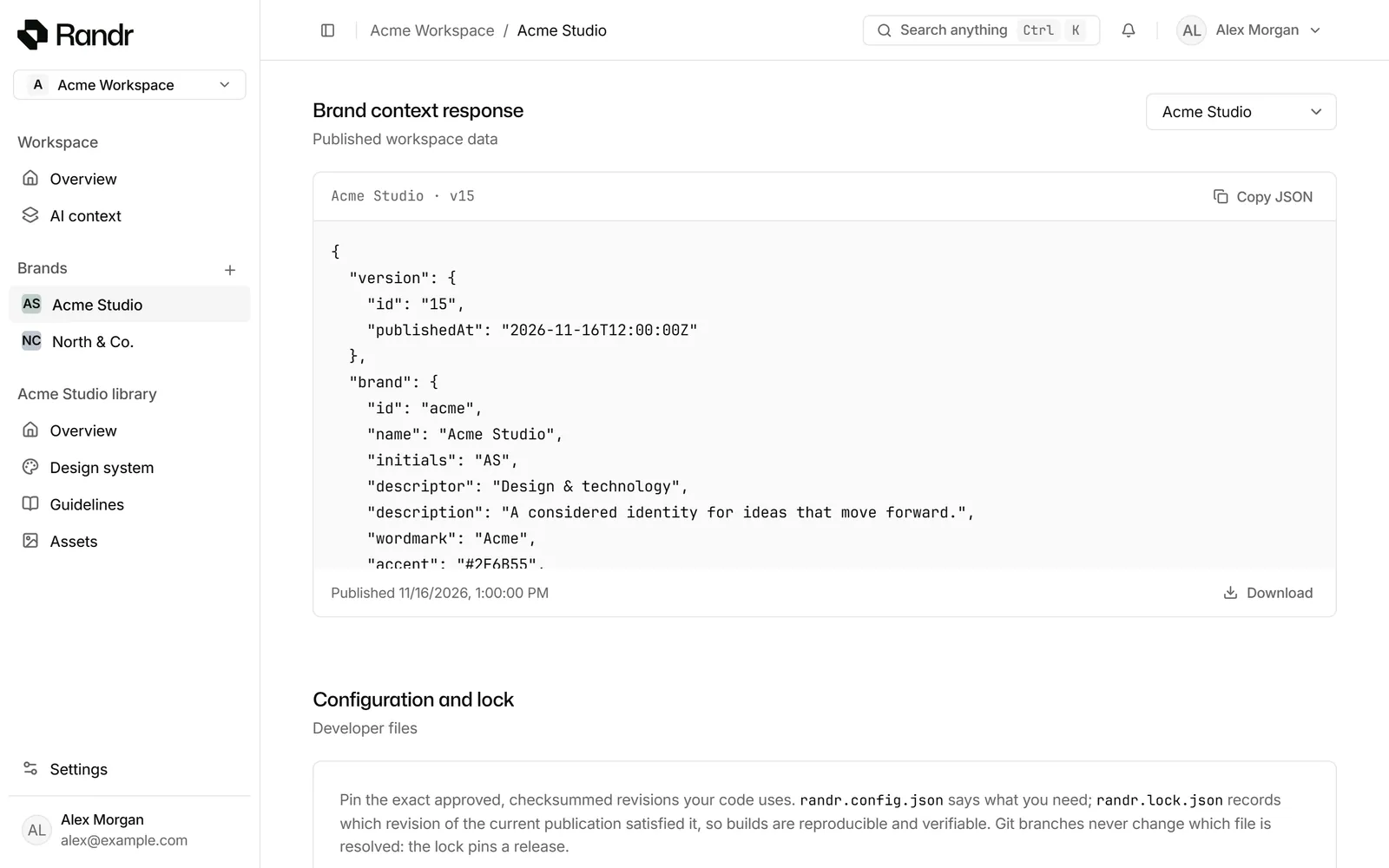
  4. 04DeliverPeople, CI and agents read the same release. Repos get a pull request.
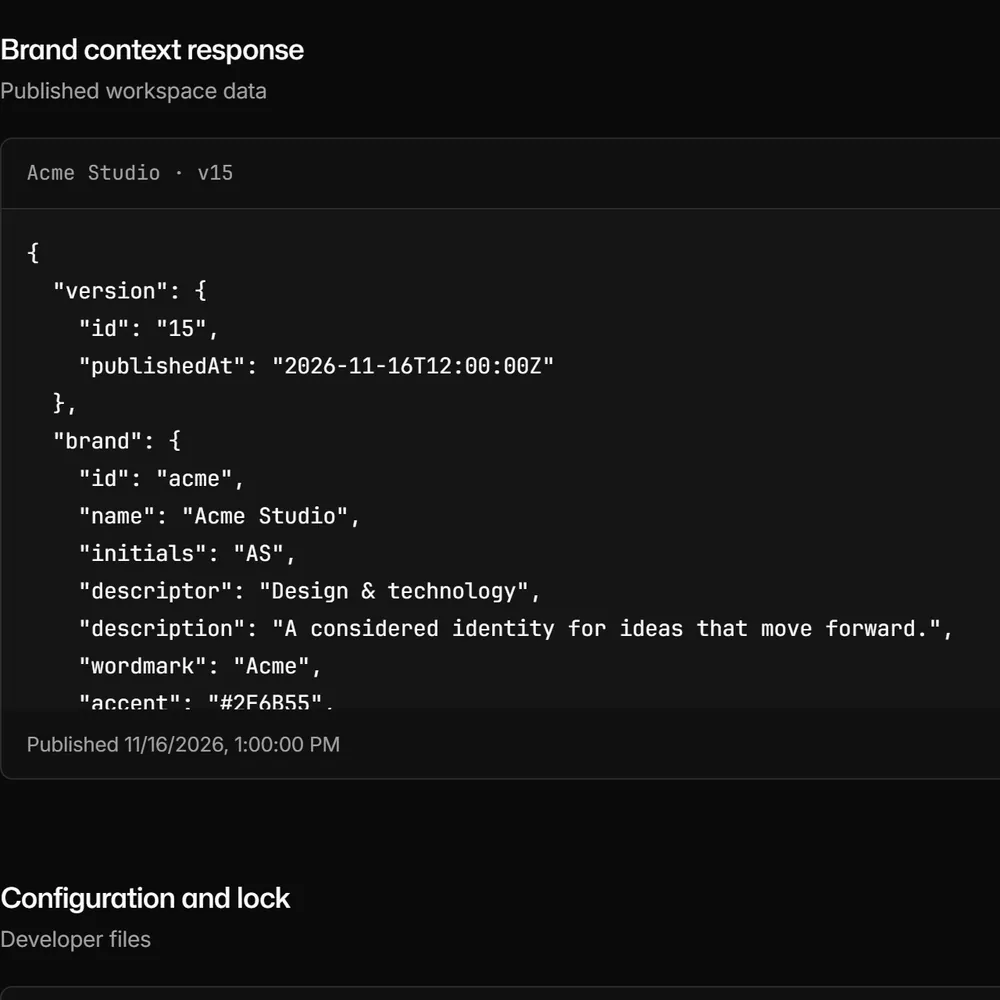
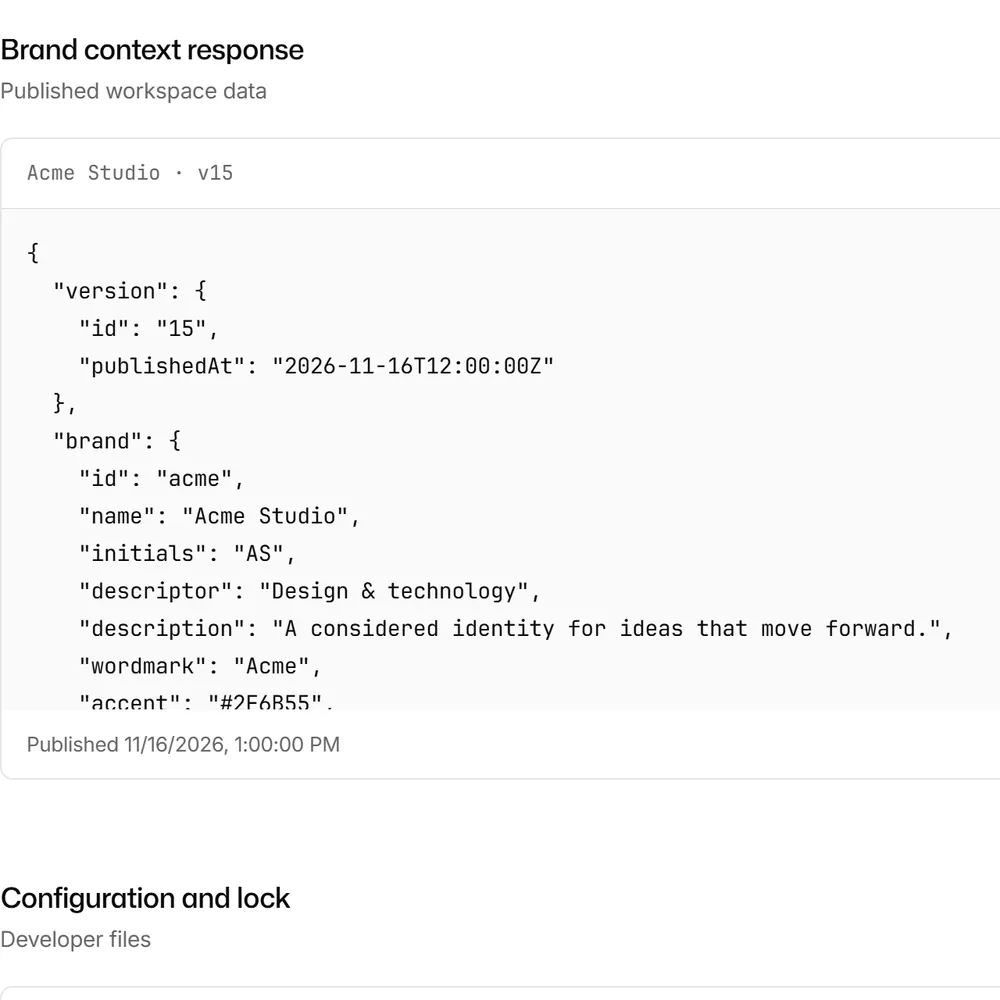
    The AI context screen in Randr: the published JSON of Acme Studio v15, the context that Claude Code and CI read.The AI context screen in Randr: the published JSON of Acme Studio v15, the context that Claude Code and CI read.

Four layers, frozen together.

A release pins exactly which tokens, guidelines and assets belong together. Drafts float above it until someone publishes. Select a layer.

randr.lockpinned to v15 · sha 9f3c…a21a
limits.tokens_per_import = 2000limits.asset_size        = "25 MiB"agent.tools              = 13  # 11 read, 2 proposeroles                    = ["viewer", "editor", "admin", "owner"]

Everyone in one brand. Roles decide who can change it.
Editor and Viewer roles · Live cursors · Conflict-safe edits

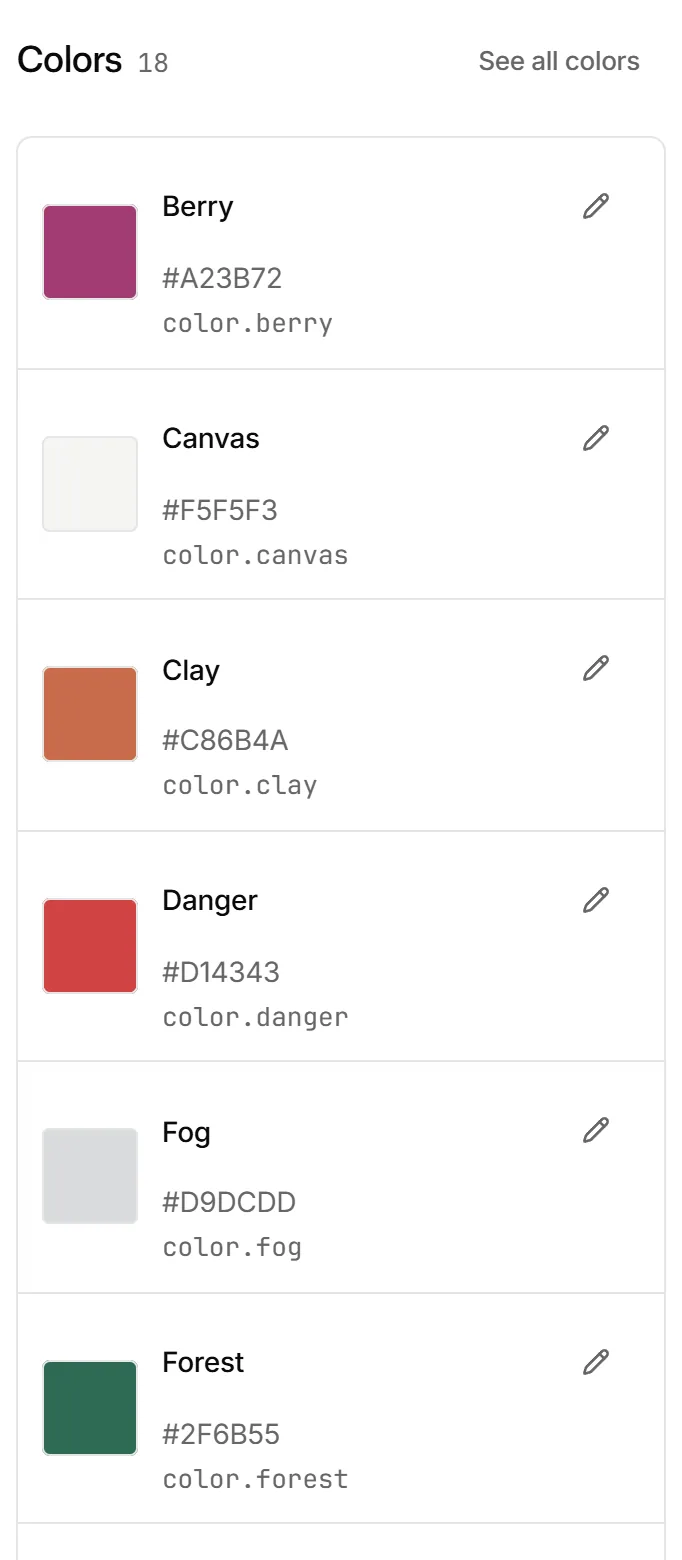
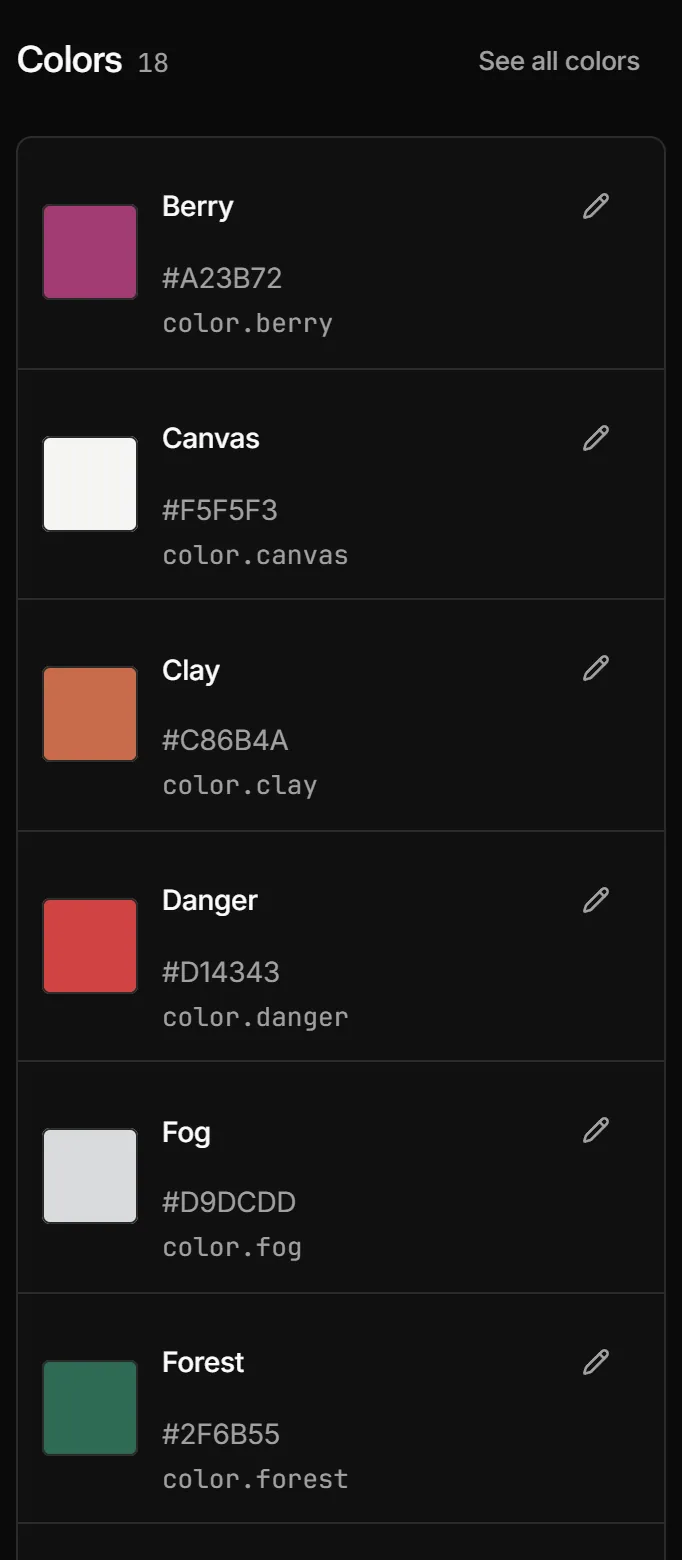
The Colors group of the Acme Studio design system: Berry, Canvas, Clay and Danger with their values and CSS names.The Colors group of the Acme Studio design system: Berry, Canvas, Clay and Danger with their values and CSS names.

Compare any two releases. Restore an old one as a new release.

Before → after · Restore preview · Audit log

Compare published versions, v14 against v15: Mint and Mint 600 added, Forest changed from #315B4C to #2B4F42, the legacy logo removed.Compare published versions, v14 against v15: Mint and Mint 600 added, Forest changed from #315B4C to #2B4F42, the legacy logo removed.

Agents call MCP tools. Changes arrive as proposals, never as releases.

Remote MCP · OAuth consent · Brand-scoped tokens

Proposed changes: Claude Code suggests a warmer Clay and a new Clay 100 tint, Codex a darker Slate. Each waits for Accept or Reject.Proposed changes: Claude Code suggests a warmer Clay and a new Clay 100 tint, Codex a darker Slate. Each waits for Accept or Reject.
> make the campaign accent warmer and add a light tint for backgrounds
randr.get_design_tokens release v15 · 48 tokens
randr.get_guidelines Color
randr.propose_token_changes Clay · Clay 100
✓ Proposal waiting for an Editor. Nothing is published.

A lockfile for your brand. Pinned in CI, updated by pull request.
randr CLI · GitHub App · Never pushes to your branch

# randr.lock.json pins revisions and checksums
$ randr lock
$ randr pull
✓ 22 files, every SHA-256 verified
$ randr tokens --format css
$ randr verify --remote
✓ in sync with release v15
Pull requestrandr/sync-v15
Update brand to release v15M brand.cssM randr.lock.jsonM randr/assets/logo-primary.svg✓ randr verify passedWaiting for your review

Safe to hand to an agent.

  1. 01Read by defaultEleven tools read the published release. Proposing is an opt-in scope, and only Editors’ agents get it.
  2. 02Scoped, expiring credentialsOAuth or personal tokens, limited to scopes, one brand and an expiry. Revoking takes effect on the next request.
  3. 03People decideProposals wait under Proposed changes until an Editor accepts. Publishing is always a separate step.
  • SHA-256 on every file. Every download carries a checksum. The CLI installs nothing that fails it.
  • Everything is logged. An audit log for every change, plus activity per agent client.
  • Hosted in Zürich. Google Cloud europe-west6, with rate limits on every credential.
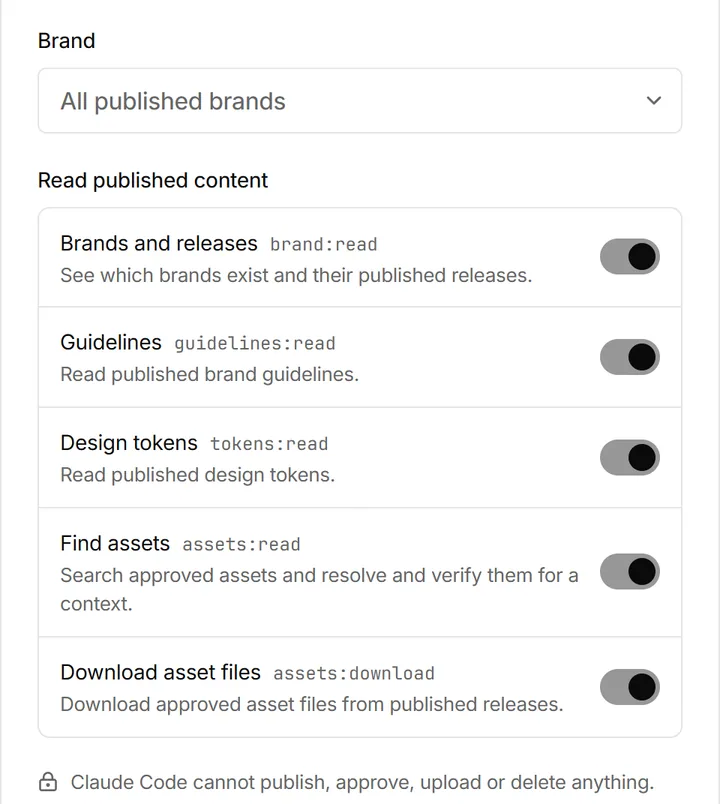
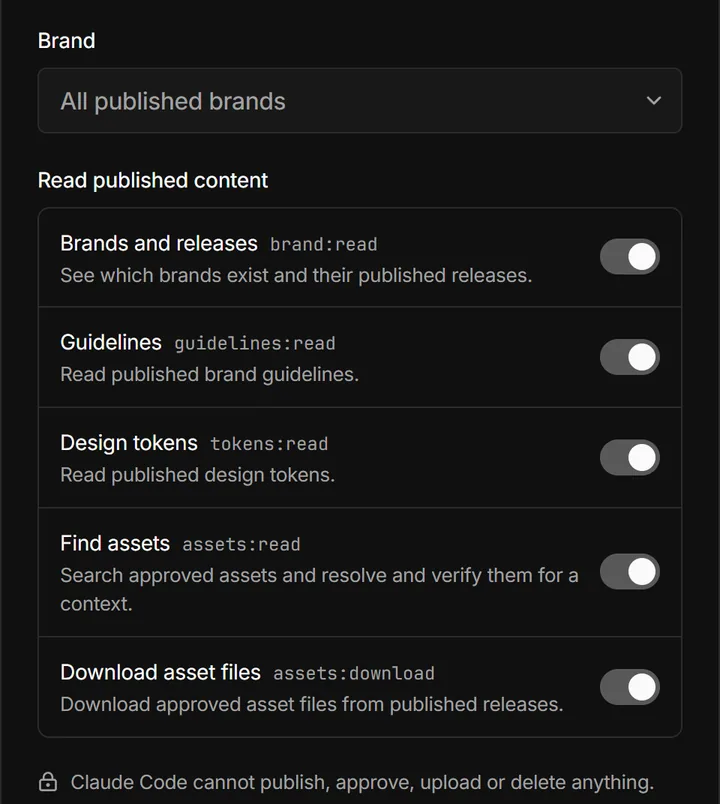
The consent page an agent opens: one brand or all published brands, and a switch for each read scope. The agent cannot publish, approve, upload or delete.The consent page an agent opens: one brand or all published brands, and a switch for each read scope. The agent cannot publish, approve, upload or delete.

Built by you. Read by your agents.

  1. Add the Randr server to your agent.
  2. Approve one brand and its scopes on the consent page.
  3. Ask for the brand. The agent reads the published release.
$ claude mcp add --transport http randr \
    https://www.randr.dev/mcp

/mcp  →  randr  →  Authenticate

> Use Randr to read the guidelines and
  export the design tokens as CSS.

OAuth by default, or a personal access token from Settings → Agent access.

Shipping, every week.

  1. New interface, landing page and Claude Code.
  2. Compare and safely restore brand releases.
  3. Agent proposals and GitHub pull requests.

All changes →

Free while we build it with you.

Randr is in early access. Workspaces are invite-only, and we set up brand teams one at a time. Pricing comes later, and we’ll tell you well before it starts.

Invite-only during early access. No newsletter.

Early access

Free
  • Tokens, guidelines and assets
  • Releases with compare and restore
  • Agent access over MCP, REST and the CLI
  • Verified asset registry with SHA-256
  • Figma and GitHub sync (beta)
  • Roles, invitations and an audit log

Questions

Can an agent change my brand?

Not on its own. Agents read the published release through read-only tools. If you grant the opt-in propose scopes, an Editor’s agent can suggest token and guideline changes. They wait under Proposed changes until an Editor accepts, and publishing stays a separate step.

Can I use Randr today?

Randr is in early access. Workspaces are invite-only: request access and we’ll set yours up and invite your team. Already invited? Sign in with the address your invitation went to.

Which formats does Randr support?

Tokens as W3C DTCG JSON, including Tokens Studio and Style Dictionary files, exported as CSS, DTCG or JSON. Assets as PNG, JPEG, WebP, SVG or PDF, up to 25 MiB each.

Does Randr write to my repository?

Only as a pull request from its own branch, in repositories you select. It never pushes to your branch, force-pushes, approves or merges.

What happens when I restore an old release?

You see exactly what would be replaced first. Restoring then creates a new release; earlier ones stay available.

Where is my data stored?

Workspace data and the agent gateway run in Google Cloud’s europe-west6 region in Zürich. Files are delivered through short-lived signed URLs, and every agent request is rate-limited and logged.

Released by you.
Read by everyone.